One-Click Multiplayer
One-Click Multiplayer is a featured function introduced in QtEasyTier 1.1.0, designed to help users (especially multiplayer gamers) quickly start multiplayer sessions without complex networking knowledge or operations.
Video Tutorial
Section titled “Video Tutorial”Host Operations
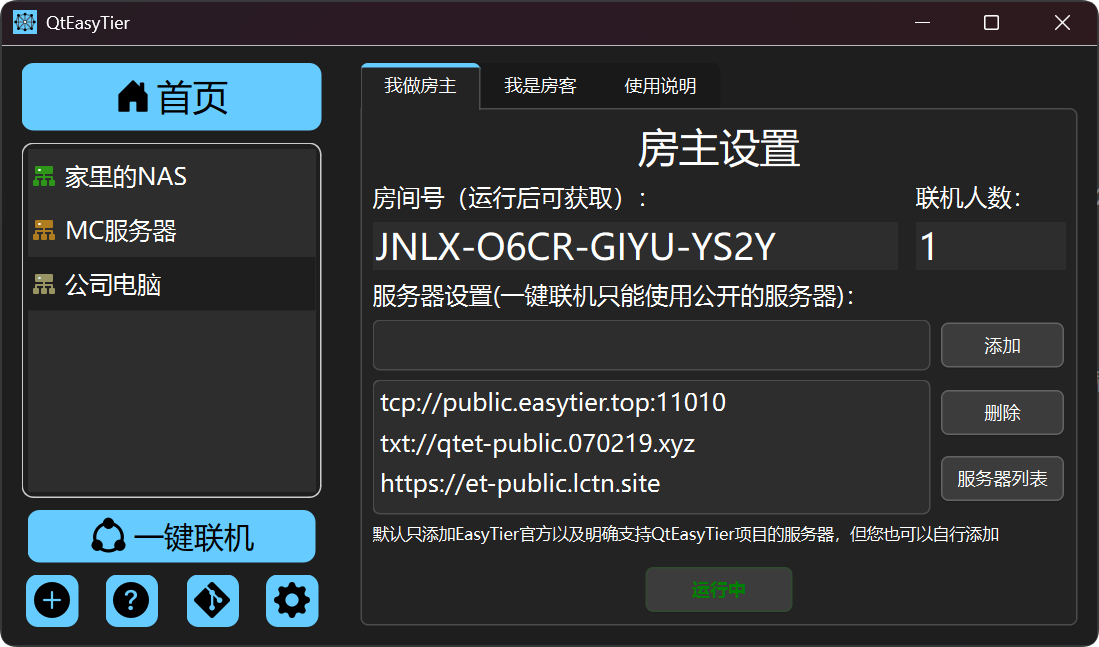
Section titled “Host Operations”- Click the “I’m the Host” page. Several public servers are added by default.
- [Optional] You can modify the server list — click the server list button to view and add community public servers, or manually enter your own.
- Click the “Start Multiplayer” button. The program will automatically generate a random room code and display the current player count in real time.
- Share the room code with your friends so they can join the room.
- [Optional] You can assign a number to each guest (1–253, agreed upon beforehand; must be unique). Guests joining with a fixed number will receive a fixed virtual IP address, which is useful for games or mods that depend on client IP addresses.
Guest Operations
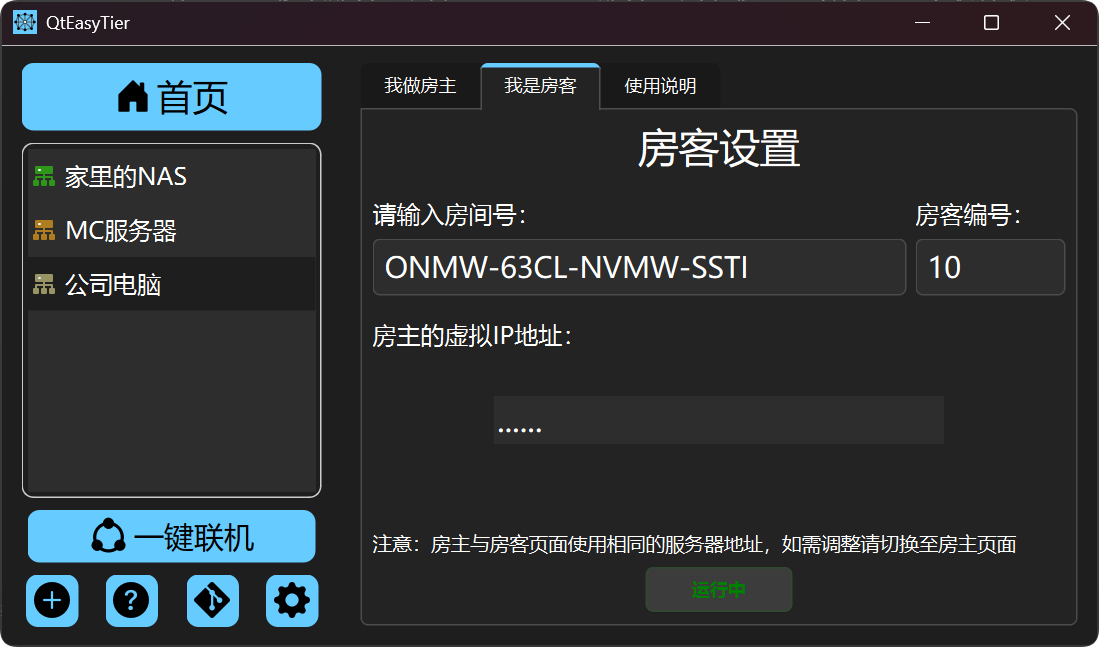
Section titled “Guest Operations”- Click the “I’m a Guest” page, enter the room code provided by the host, and click “Start Multiplayer” to join.
- [Optional] You can enter the guest number agreed upon with the host to fix your virtual IP address.
- After successfully joining, the host’s virtual IP address will be displayed. Use this address in your game to connect to the host.